Core Lesson Library
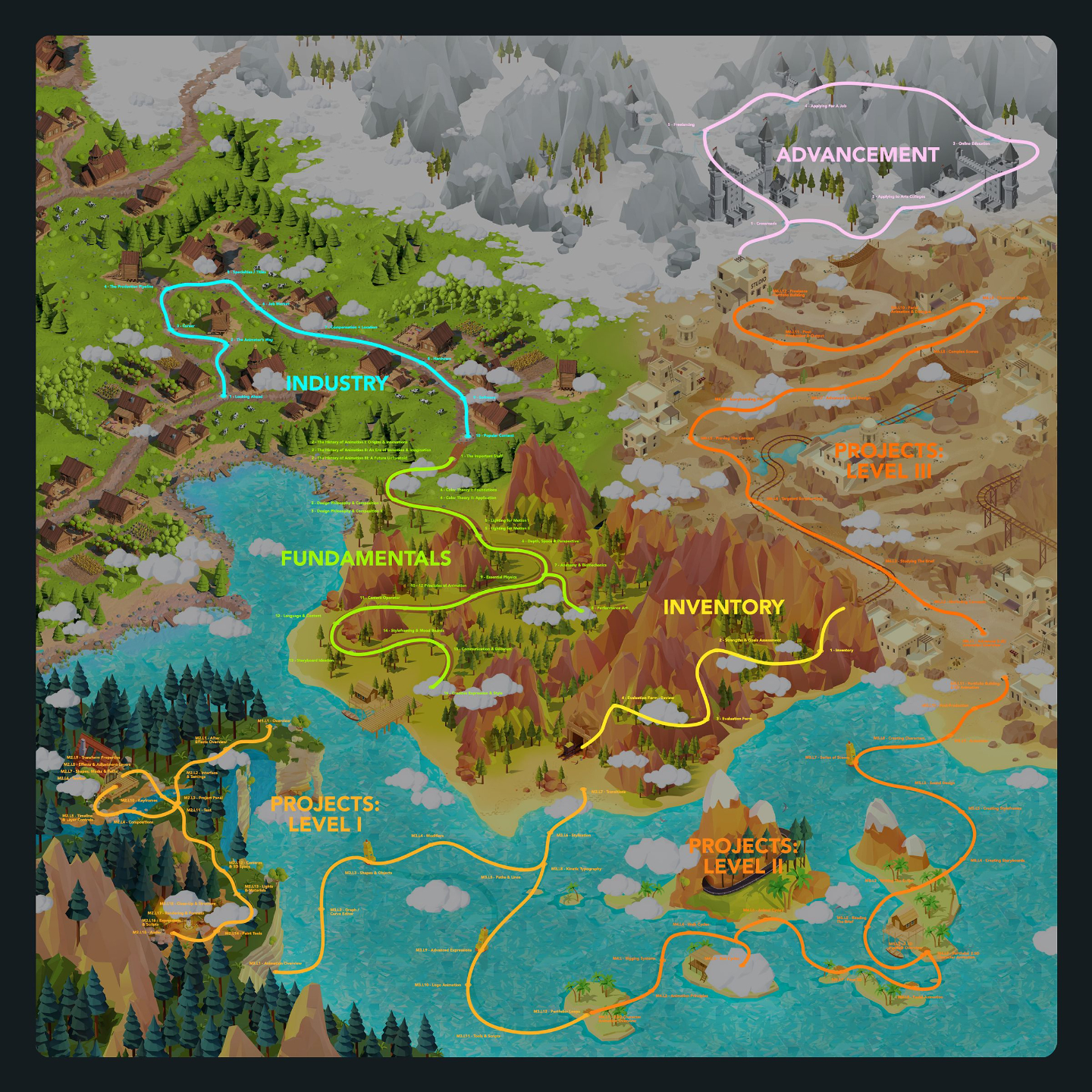
Below lists out all modules and lessons included within this curriculum.
Lessons are in video format with downloadable project files.
Lesson Block:
Industry
This series of lessons covers all topics relating to the state of the industry, what roles are available, what tools are used, and thinking critically about what your options are for your future with these newly acquired skills.
This is a great way to learn about what's involved in becoming an Animator or Motion Graphics Artist before learning the actual skills and software.
Lessons available for:

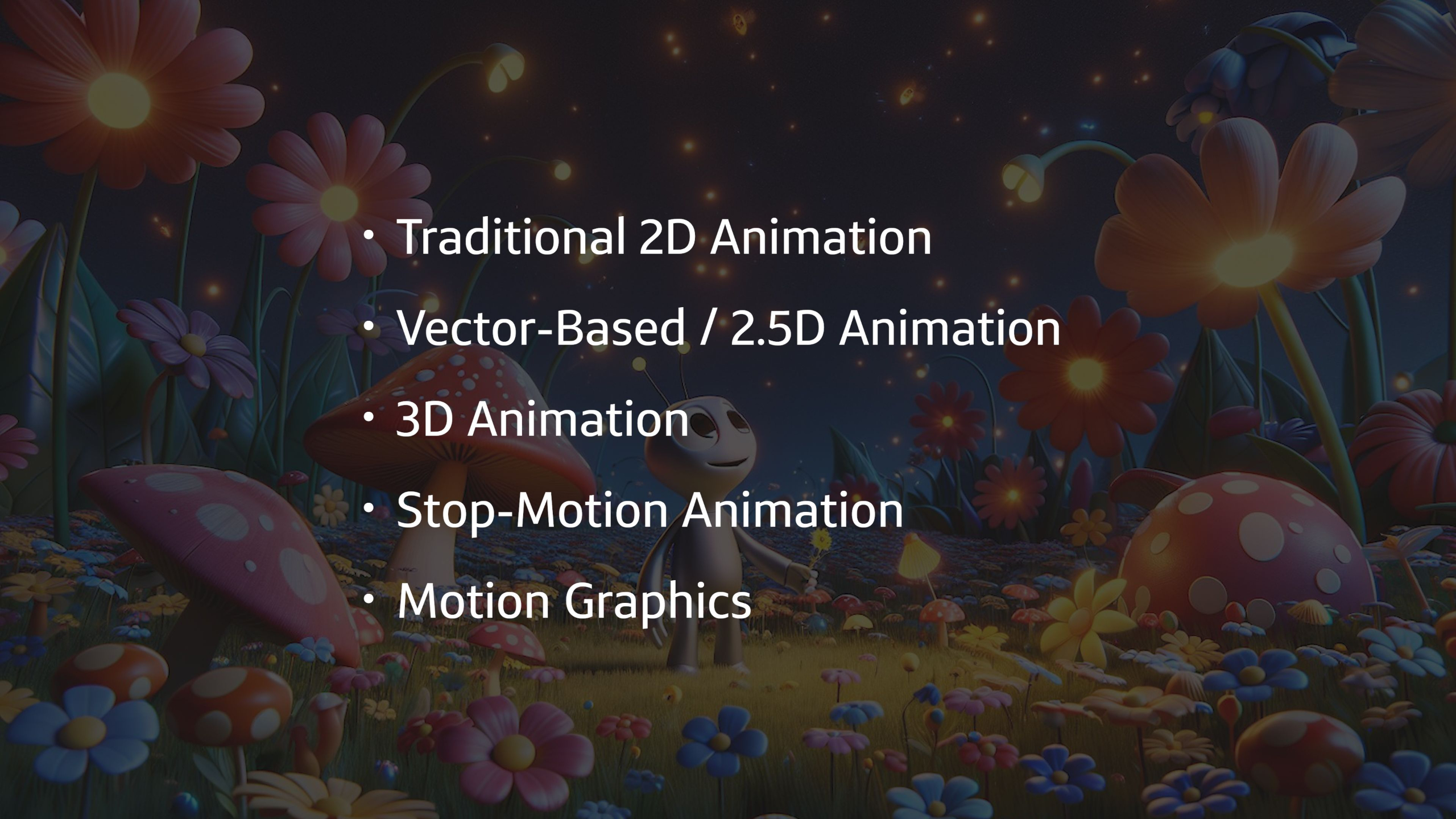
Lesson 1: Looking Ahead
This welcome lesson introduces students to the Discovery and Creator curriculums while setting the tone for a practical, career-focused approach to learning animation and motion graphics. Students will get a preview of the industry insights, fundamentals, hands-on projects, advancement paths, and real-world guidance ahead as they begin building toward an industry-ready creative future.
Lesson 6: Job Market
This lesson explores the animation job market and the many places students can build a career, including studios, film and VFX houses, game companies, networks, agencies, brands, small businesses, and startups. Students will learn how full-time, part-time, and freelance opportunities differ across entertainment and business-focused work so they can better understand where their skills may fit.
Lesson 2: The Animators Way
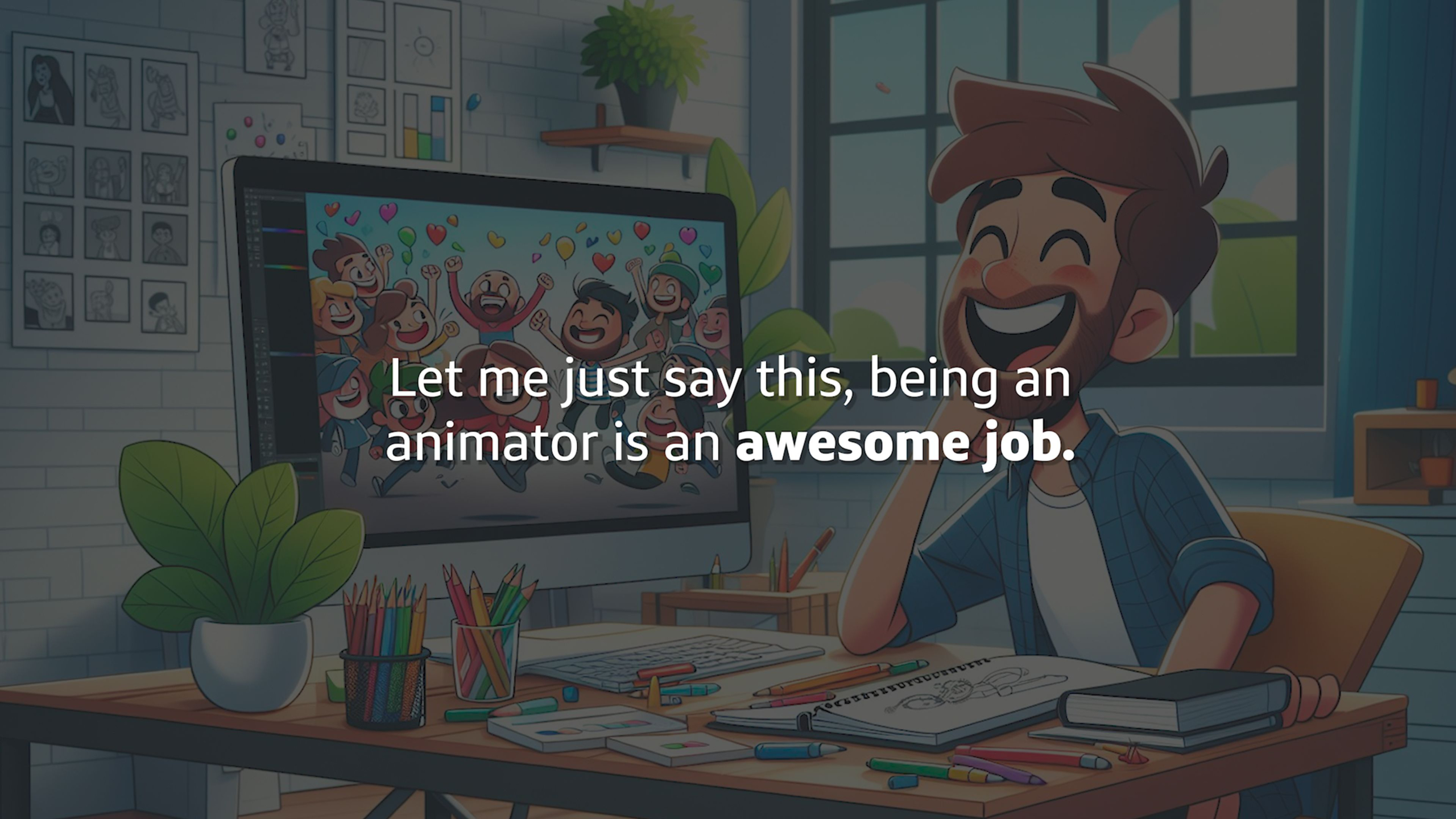
This lesson introduces The Animator’s Way, a motivational look at why animation is both a challenging craft and a deeply rewarding career path built on creativity, technical skill, adaptability, and purpose. Students will also explore how animation remains valuable in an evolving industry, including how AI fits into the creative process while traditional software skills still provide the control, consistency, and intent required for professional work.
Lesson 7: Compensation + Location
This lesson introduces students to the realities of compensation and location in animation, showing how pay can vary based on where you live, your skill level, job title, and whether you work full-time, part-time, or freelance. Students will learn why understanding their value, negotiating fairly, and balancing passion with financial goals are essential parts of building a sustainable creative career.
Lesson 3: Career
This lesson helps students think realistically about animation as a career path, emphasizing that a strong portfolio, clear direction, and persistence matter more than where they learned their skills. Students will explore different creative career paths, compare entertainment and edu-tainment work, and consider education options like art school, online programs, niche training, employment, and freelancing.
Lesson 8: Hardware
This lesson introduces the basic hardware needs for animators and motion graphics artists, showing that while the work is technically complex, the required gear is fairly straightforward. Students will review hardware recommendations for computers, monitors, drawing tablets, and peripherals so they can make smart investments that support their creative work for years.
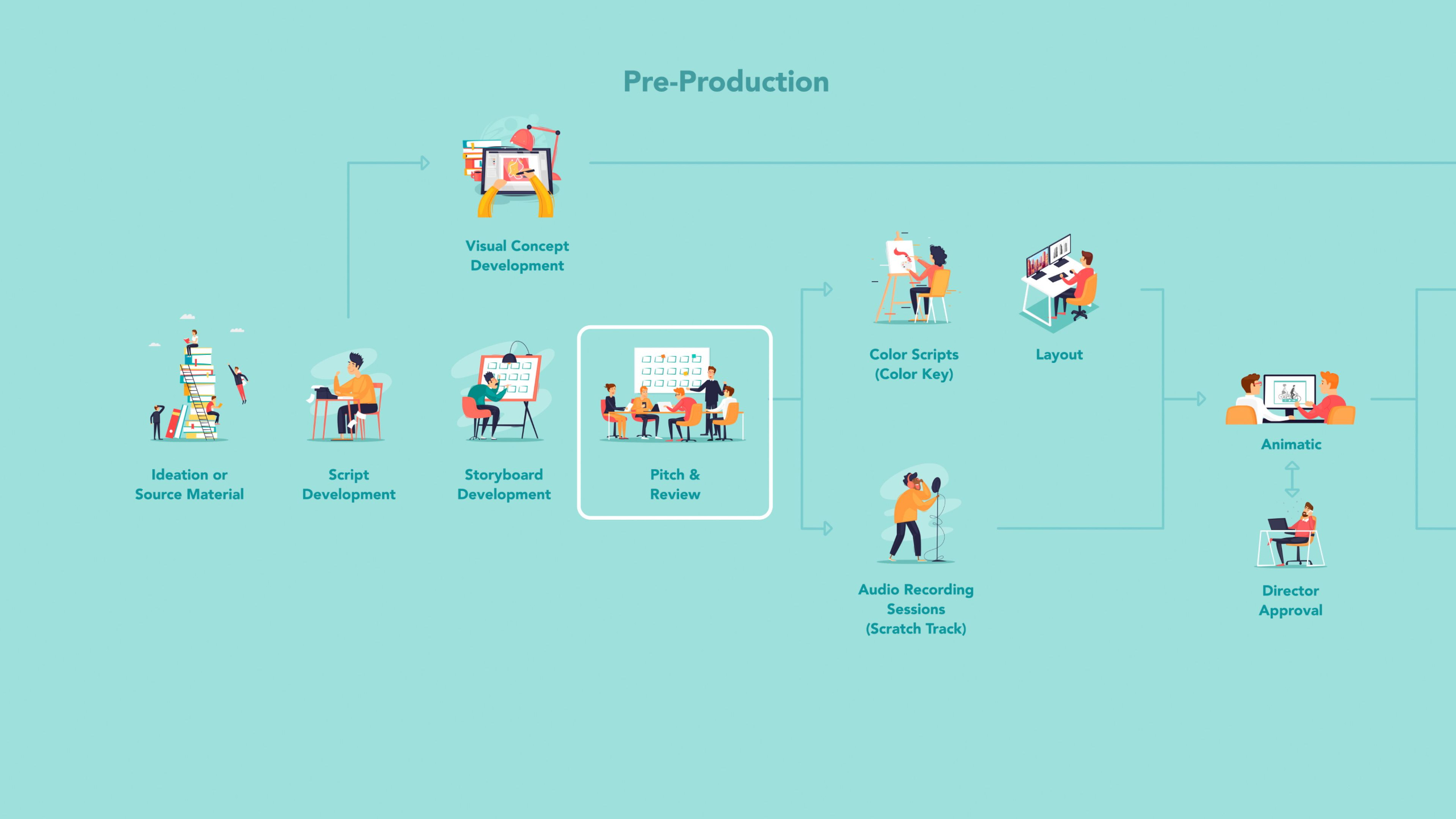
Lesson 4: The Production Pipeline
This lesson breaks down the major production pipelines used across 2D animation studios, 3D studios, agencies, game developers, and freelance animation work so students can better understand where animators fit within the larger creative process. Students will learn how pre-production, production, and post-production differ across industries, while also seeing how AI tools may support tasks like rotoscoping, in-betweening, environment creation, and rigging.
Lesson 9: Software
This lesson introduces students to the different types of software used across animation, motion graphics, visual effects, editing, compositing, and sound design. Students will review the software recommendations guide to better understand which tools support different creative paths and which plugins or scripts can help improve their workflow.
Lesson 5: Specialties & Titles
This lesson introduces the many specialties and job titles within animation and motion graphics, helping students understand that studying animation can lead to a wide range of creative and technical career paths. Students will compare 2D animation, 3D animation, and motion graphics while learning how each specialty works, what artists in those roles create, and which direction may fit their interests best.
Lesson 10: Popular Content
This lesson explores the types of content animators and motion graphics artists are commonly asked to create across studios, agencies, game companies, brands, networks, indie productions, and small businesses. Students will learn how different employers use animation—from films, games, VFX, and title packages to explainer videos, social content, infographics, and marketing materials—so they can build a portfolio that feels focused, useful, and hireable.
Lesson 1: Looking Ahead
This welcome lesson introduces students to the Discovery and Creator curriculums while setting the tone for a practical, career-focused approach to learning animation and motion graphics. Students will get a preview of the industry insights, fundamentals, hands-on projects, advancement paths, and real-world guidance ahead as they begin building toward an industry-ready creative future.
Lesson 2: The Animators Way
This lesson introduces The Animator’s Way, a motivational look at why animation is both a challenging craft and a deeply rewarding career path built on creativity, technical skill, adaptability, and purpose. Students will also explore how animation remains valuable in an evolving industry, including how AI fits into the creative process while traditional software skills still provide the control, consistency, and intent required for professional work.
Lesson 3: Career
This lesson helps students think realistically about animation as a career path, emphasizing that a strong portfolio, clear direction, and persistence matter more than where they learned their skills. Students will explore different creative career paths, compare entertainment and edu-tainment work, and consider education options like art school, online programs, niche training, employment, and freelancing.
Lesson 4: The Production Pipeline
This lesson breaks down the major production pipelines used across 2D animation studios, 3D studios, agencies, game developers, and freelance animation work so students can better understand where animators fit within the larger creative process. Students will learn how pre-production, production, and post-production differ across industries, while also seeing how AI tools may support tasks like rotoscoping, in-betweening, environment creation, and rigging.
Lesson 5: Specialties & Titles
This lesson introduces the many specialties and job titles within animation and motion graphics, helping students understand that studying animation can lead to a wide range of creative and technical career paths. Students will compare 2D animation, 3D animation, and motion graphics while learning how each specialty works, what artists in those roles create, and which direction may fit their interests best.
Lesson 6: Job Market
This lesson explores the animation job market and the many places students can build a career, including studios, film and VFX houses, game companies, networks, agencies, brands, small businesses, and startups. Students will learn how full-time, part-time, and freelance opportunities differ across entertainment and business-focused work so they can better understand where their skills may fit.
Lesson 7: Compensation + Location
This lesson introduces students to the realities of compensation and location in animation, showing how pay can vary based on where you live, your skill level, job title, and whether you work full-time, part-time, or freelance. Students will learn why understanding their value, negotiating fairly, and balancing passion with financial goals are essential parts of building a sustainable creative career.
Lesson 8: Hardware
This lesson introduces the basic hardware needs for animators and motion graphics artists, showing that while the work is technically complex, the required gear is fairly straightforward. Students will review hardware recommendations for computers, monitors, drawing tablets, and peripherals so they can make smart investments that support their creative work for years.
Lesson 9: Software
This lesson introduces students to the different types of software used across animation, motion graphics, visual effects, editing, compositing, and sound design. Students will review the software recommendations guide to better understand which tools support different creative paths and which plugins or scripts can help improve their workflow.
Lesson 10: Popular Content
This lesson explores the types of content animators and motion graphics artists are commonly asked to create across studios, agencies, game companies, brands, networks, indie productions, and small businesses. Students will learn how different employers use animation—from films, games, VFX, and title packages to explainer videos, social content, infographics, and marketing materials—so they can build a portfolio that feels focused, useful, and hireable.

Lesson Block 2:
Fundamentals
This series of lessons covers foundational principles that bolster your skills when it comes time to actually create something.
We cover animation history over the last 100 years, design & composition, anatomy, cinematography, storyboarding and more!
These skills are what separates the novices from the artists who thrive in the industry.
Lessons available for:

Lesson 1: The Important Stuff
This lesson introduces the Fundamentals of Animation & Design module, where students begin learning the timeless principles that shape strong animation and motion graphics work. Students will get a practical overview of the essential skills ahead, including storyboarding, styleframes, characters, design, color, composition, motion, rigs, expression, and style, without unnecessary filler.
Lesson 6: Depth, Space & Perspective
This lesson introduces depth, space, and perspective, showing students how to create the illusion of 3D form and distance even when working on a 2D surface. Students will learn practical techniques like overlapping, placement, size, detail, color, movement, and 1, 2, and 3-point perspective to build stronger animated scenes and compositions.
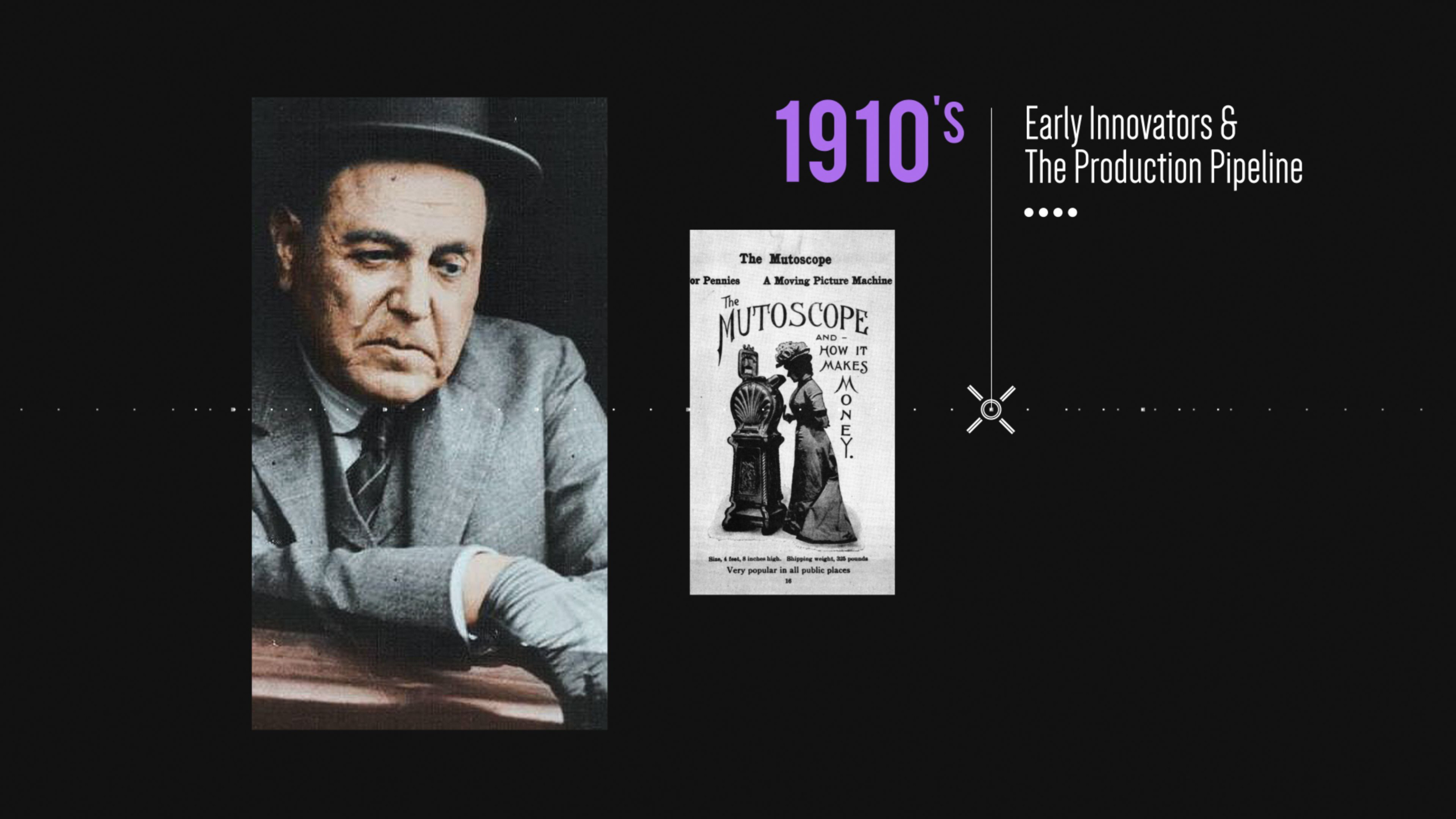
Lesson 2: The History of Animation I: Origins & Innovations
This lesson explores the earliest origins of animation, from shadow puppetry and optical toys to the first projection devices, film cameras, stop-motion experiments, and hand-drawn animated films. Students will see how persistence of vision, early inventors, and pioneering artists like Émile Reynaud, the Lumière brothers, Georges Méliès, J. Stuart Blackton, and Émile Cohl helped shape animation into the art form we know today.
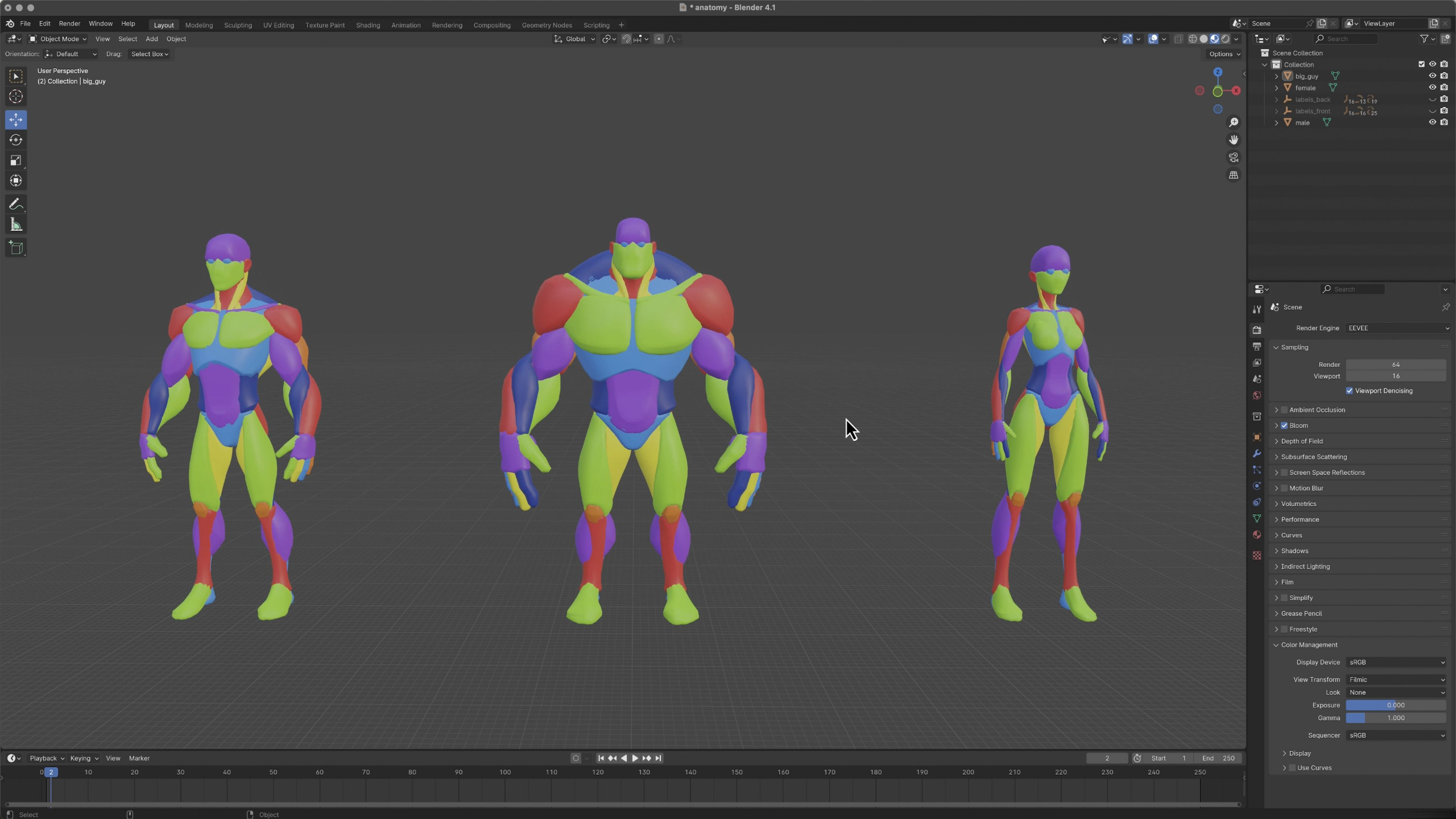
Lesson 7: Anatomy & Biomechanics
This lesson introduces anatomy and biomechanics, showing students how bones, joints, muscles, fat, facial structures, and body proportions influence the way characters move. Students will learn how understanding human, animal, bird, and creature structure helps animators create motion that feels believable, expressive, and physically grounded.
Lesson 2: The History of Animation II: An Era of Invention & Imagination
This lesson continues the history of animation by walking students through the major inventions, artists, studios, technologies, and cultural shifts that shaped the medium from the 1910s through the modern era. Students will see how animation evolved from early shorts and studio pipelines into television, anime, CGI, video games, streaming, and today’s global animation industry.
Lesson 8: Essential Physics
This lesson introduces the essential physics behind animation, helping students understand how timing, spacing, scale, gravity, inertia, momentum, force, center of gravity, and action-reaction shape believable movement. Students will learn how these real-world principles inform animation decisions while still leaving room to exaggerate, stylize, and make motion feel more appealing.
Lesson 2: The History of Animation III: A Future Untold
This lesson looks ahead at the future of animation, exploring how emerging technologies like AI, real-time rendering, virtual production, VR, AR, mixed reality, and mobile experiences may reshape the industry. Students will learn why animation remains a powerful and lasting form of communication, while seeing how adaptability, taste, and creative judgment will become even more important as tools and markets continue to evolve.
Lesson 9: 12 Principles of Animation
This lesson introduces Disney’s 12 Principles of Animation, showing students the timeless techniques behind believable, expressive, and appealing movement. Students will explore concepts like squash and stretch, anticipation, staging, timing, arcs, follow-through, exaggeration, solid drawing, and appeal so they can build a stronger foundation for both 2D and 3D animation.
Lesson 3: Design, Philosophy & Composition I
This lesson introduces the core differences between art and design, then teaches students how design principles like alignment, repetition, contrast, hierarchy, negative space, balance, proportion, emphasis, and the rule of thirds improve animation and motion graphics work. Students will learn how these principles help create clearer, more polished compositions that guide the viewer’s eye and make creative choices feel intentional.
Lesson 10: Camera Operator
This lesson introduces camera fundamentals for animators, showing how real-world camera features, lenses, shot sizes, framing, angles, movement, focus, and film equipment translate into virtual camera work. Students will learn how to use the camera as a storytelling tool to guide the audience’s eye, create stronger compositions, and make animated scenes feel more cinematic.
Lesson 3: Design, Philosophy & Composition II
This lesson introduces Gestalt Theory, showing students how the mind naturally groups, simplifies, connects, and organizes visual information. Students will explore principles like similarity, closure, continuity, proximity, figure and ground, focal point, parallelism, common fate, and past experience so they can make stronger design and composition choices in their animation work.
Lesson 11: Language & Content
This optional lesson introduces the role of writing in animation, from developing original ideas and scripts to interpreting client briefs, white papers, and story materials. Students can explore the Creative Writing Concepts guide to better understand how written content becomes storyboards, scripts, and clearer creative direction for animated projects.
Lesson 4: Color Theory I Foundations
This lesson introduces the foundations of color theory, helping students understand how the human eye sees color, how light and pigment behave differently, and why RGB, CMYK, and other color models matter in digital animation. Students will explore color wheels, hue, saturation, value, color schemes, and common color controls so they can make stronger creative choices in animation, design, and compositing.
Lesson 12: Storyboard Ideation
This lesson introduces storyboarding as a core pre-visualization tool for planning animated, live-action, commercial, interactive, and game-based content. Students will learn how storyboards, thumbnail sketches, and animatics help organize ideas, define shots, communicate with clients or teams, and test the flow of a story before production begins.
Lesson 4: Color Theory I Application
This lesson teaches students how to apply color theory in real creative work, from understanding the emotional psychology of color to building color schemes for animation, film, marketing, and brand design. Students will explore color scripts, film stills, logo palettes, and branding style guides so they can use color more intentionally to guide emotion, attention, and storytelling.
Lesson 13: Styleframing & Moodboards
This lesson introduces styleframes and mood boards as key pre-production tools for exploring the look, tone, and creative direction of an animated project before production begins. Students will learn how to develop visual options, gather inspiration, present ideas clearly, and make sure their chosen style is both creatively exciting and realistic to animate.
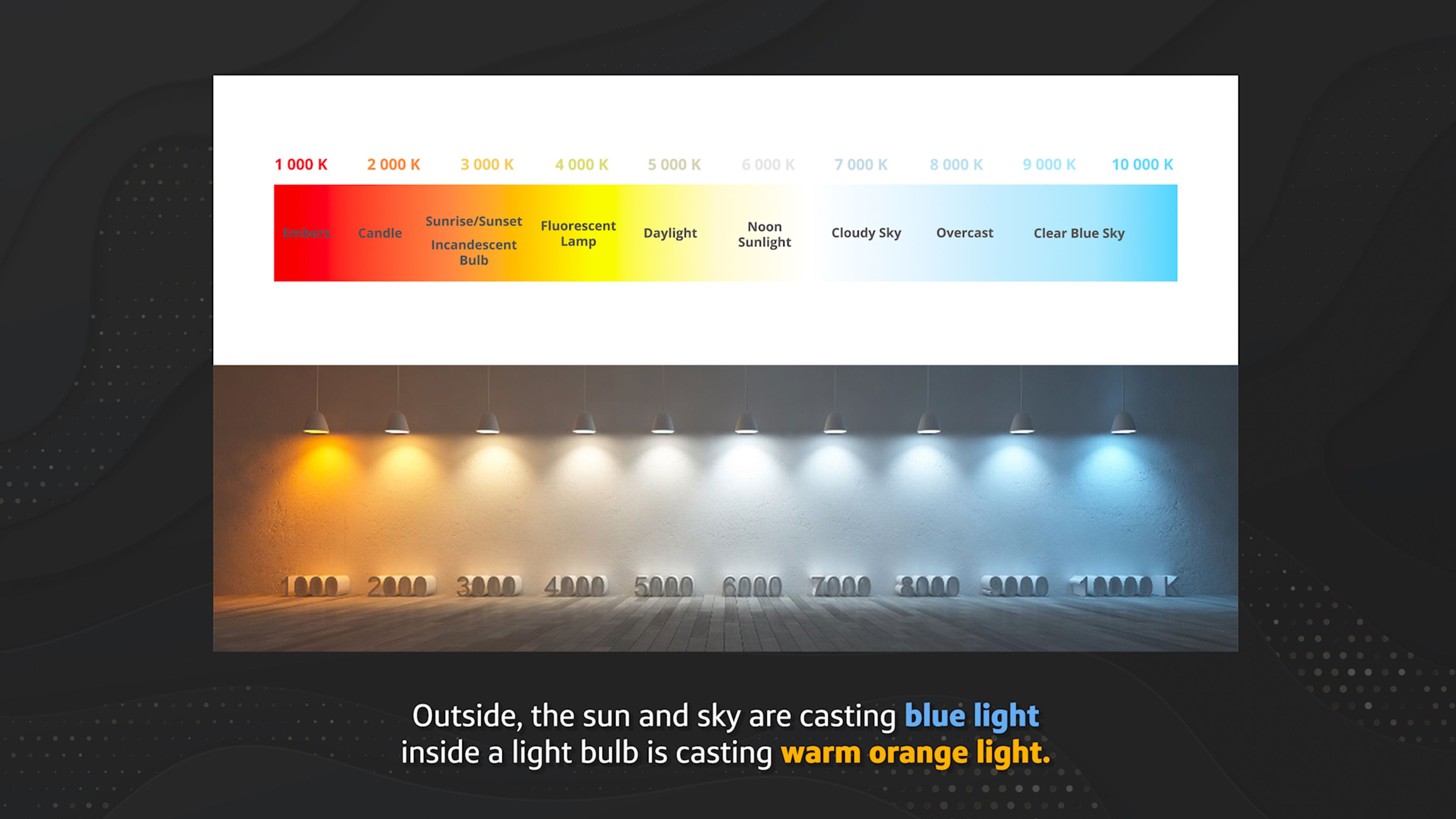
Lesson 5: Lighting For Motion I
This lesson introduces the fundamentals of lighting, helping students understand how light sources, color temperature, reflection, shadows, and different lighting systems affect both 2D and 3D animation. Students will learn how light behaves in a scene so they can better understand mood, form, realism, and communication across the animation pipeline.
Lesson 14: Communication & Decorum
This lesson focuses on the soft skills that help animators build successful careers, including communication, emotional intelligence, professionalism, feedback, networking, self-awareness, and conflict management. Students will learn why strong relationships, a healthy mindset, and respectful collaboration can be just as important as technical skill in the animation industry.
Lesson 5: Lighting For Motion II
This lesson builds on lighting fundamentals by showing students how natural, practical, and studio lights are used to shape mood, guide the viewer’s eye, establish setting, create depth, and support storytelling in animation. Students will also learn key lighting roles like key, fill, rim, bounce, kicker, and top lights so they can better understand how animated scenes are lit in both 2D and 3D workflows.
Lesson 15: Creative Expression & Style
This lesson wraps up the fundamentals module by helping students study creative expression and style across motion graphics, 2D animation, and 3D animation. Students will analyze professional examples to understand how different artists use motion, timing, camera work, transitions, design, and technique to create distinctive visual styles.
Lesson 1: The Important Stuff
This lesson introduces the Fundamentals of Animation & Design module, where students begin learning the timeless principles that shape strong animation and motion graphics work. Students will get a practical overview of the essential skills ahead, including storyboarding, styleframes, characters, design, color, composition, motion, rigs, expression, and style, without unnecessary filler.
Lesson 2: The History of Animation I: Origins & Innovations
This lesson explores the earliest origins of animation, from shadow puppetry and optical toys to the first projection devices, film cameras, stop-motion experiments, and hand-drawn animated films. Students will see how persistence of vision, early inventors, and pioneering artists like Émile Reynaud, the Lumière brothers, Georges Méliès, J. Stuart Blackton, and Émile Cohl helped shape animation into the art form we know today.
Lesson 2: The History of Animation II: An Era of Invention & Imagination
This lesson continues the history of animation by walking students through the major inventions, artists, studios, technologies, and cultural shifts that shaped the medium from the 1910s through the modern era. Students will see how animation evolved from early shorts and studio pipelines into television, anime, CGI, video games, streaming, and today’s global animation industry.
Lesson 2: The History of Animation III: A Future Untold
This lesson looks ahead at the future of animation, exploring how emerging technologies like AI, real-time rendering, virtual production, VR, AR, mixed reality, and mobile experiences may reshape the industry. Students will learn why animation remains a powerful and lasting form of communication, while seeing how adaptability, taste, and creative judgment will become even more important as tools and markets continue to evolve.
Lesson 3: Design, Philosophy & Composition I
This lesson introduces the core differences between art and design, then teaches students how design principles like alignment, repetition, contrast, hierarchy, negative space, balance, proportion, emphasis, and the rule of thirds improve animation and motion graphics work. Students will learn how these principles help create clearer, more polished compositions that guide the viewer’s eye and make creative choices feel intentional.
Lesson 3: Design, Philosophy & Composition II
This lesson introduces Gestalt Theory, showing students how the mind naturally groups, simplifies, connects, and organizes visual information. Students will explore principles like similarity, closure, continuity, proximity, figure and ground, focal point, parallelism, common fate, and past experience so they can make stronger design and composition choices in their animation work.
Lesson 4: Color Theory I Foundations
This lesson introduces the foundations of color theory, helping students understand how the human eye sees color, how light and pigment behave differently, and why RGB, CMYK, and other color models matter in digital animation. Students will explore color wheels, hue, saturation, value, color schemes, and common color controls so they can make stronger creative choices in animation, design, and compositing.
Lesson 4: Color Theory I Application
This lesson teaches students how to apply color theory in real creative work, from understanding the emotional psychology of color to building color schemes for animation, film, marketing, and brand design. Students will explore color scripts, film stills, logo palettes, and branding style guides so they can use color more intentionally to guide emotion, attention, and storytelling.
Lesson 5: Lighting For Motion I
This lesson introduces the fundamentals of lighting, helping students understand how light sources, color temperature, reflection, shadows, and different lighting systems affect both 2D and 3D animation. Students will learn how light behaves in a scene so they can better understand mood, form, realism, and communication across the animation pipeline.
Lesson 5: Lighting For Motion II
This lesson builds on lighting fundamentals by showing students how natural, practical, and studio lights are used to shape mood, guide the viewer’s eye, establish setting, create depth, and support storytelling in animation. Students will also learn key lighting roles like key, fill, rim, bounce, kicker, and top lights so they can better understand how animated scenes are lit in both 2D and 3D workflows.
Lesson 6: Depth, Space & Perspective
This lesson introduces depth, space, and perspective, showing students how to create the illusion of 3D form and distance even when working on a 2D surface. Students will learn practical techniques like overlapping, placement, size, detail, color, movement, and 1, 2, and 3-point perspective to build stronger animated scenes and compositions.
Lesson 7: Anatomy & Biomechanics
This lesson introduces anatomy and biomechanics, showing students how bones, joints, muscles, fat, facial structures, and body proportions influence the way characters move. Students will learn how understanding human, animal, bird, and creature structure helps animators create motion that feels believable, expressive, and physically grounded.
Lesson 8: Essential Physics
This lesson introduces the essential physics behind animation, helping students understand how timing, spacing, scale, gravity, inertia, momentum, force, center of gravity, and action-reaction shape believable movement. Students will learn how these real-world principles inform animation decisions while still leaving room to exaggerate, stylize, and make motion feel more appealing.
Lesson 9: 12 Principles of Animation
This lesson introduces Disney’s 12 Principles of Animation, showing students the timeless techniques behind believable, expressive, and appealing movement. Students will explore concepts like squash and stretch, anticipation, staging, timing, arcs, follow-through, exaggeration, solid drawing, and appeal so they can build a stronger foundation for both 2D and 3D animation.
Lesson 10: Camera Operator
This lesson introduces camera fundamentals for animators, showing how real-world camera features, lenses, shot sizes, framing, angles, movement, focus, and film equipment translate into virtual camera work. Students will learn how to use the camera as a storytelling tool to guide the audience’s eye, create stronger compositions, and make animated scenes feel more cinematic.
Lesson 11: Language & Content
This optional lesson introduces the role of writing in animation, from developing original ideas and scripts to interpreting client briefs, white papers, and story materials. Students can explore the Creative Writing Concepts guide to better understand how written content becomes storyboards, scripts, and clearer creative direction for animated projects.
Lesson 12: Storyboard Ideation
This lesson introduces storyboarding as a core pre-visualization tool for planning animated, live-action, commercial, interactive, and game-based content. Students will learn how storyboards, thumbnail sketches, and animatics help organize ideas, define shots, communicate with clients or teams, and test the flow of a story before production begins.
Lesson 13: Styleframing & Moodboards
This lesson introduces styleframes and mood boards as key pre-production tools for exploring the look, tone, and creative direction of an animated project before production begins. Students will learn how to develop visual options, gather inspiration, present ideas clearly, and make sure their chosen style is both creatively exciting and realistic to animate.
Lesson 14: Communication & Decorum
This lesson focuses on the soft skills that help animators build successful careers, including communication, emotional intelligence, professionalism, feedback, networking, self-awareness, and conflict management. Students will learn why strong relationships, a healthy mindset, and respectful collaboration can be just as important as technical skill in the animation industry.
Lesson 15: Creative Expression & Style
This lesson wraps up the fundamentals module by helping students study creative expression and style across motion graphics, 2D animation, and 3D animation. Students will analyze professional examples to understand how different artists use motion, timing, camera work, transitions, design, and technique to create distinctive visual styles.
Lesson Block 3:
Inventory
This series of lessons is geared towards intermediate to advanced artists that want to reconfigure their portfolio by going through what’s there currently, what is working, and what needs to be worked on.
*This includes a personal evaluation of your work, with feedback and recommendations. Requires an existing 2D or 3D portfolio.
Lessons available for:

Lesson 1: Taking Inventory
This lesson introduces the Inventory module, where students review their current portfolio, clarify their career goals, and identify what work should be kept, archived, improved, or replaced. Students will prepare for a portfolio review so they can enter the projects module with a clear plan for building stronger, more career-focused work.
Lesson 3: Strengths & Goals Assessment
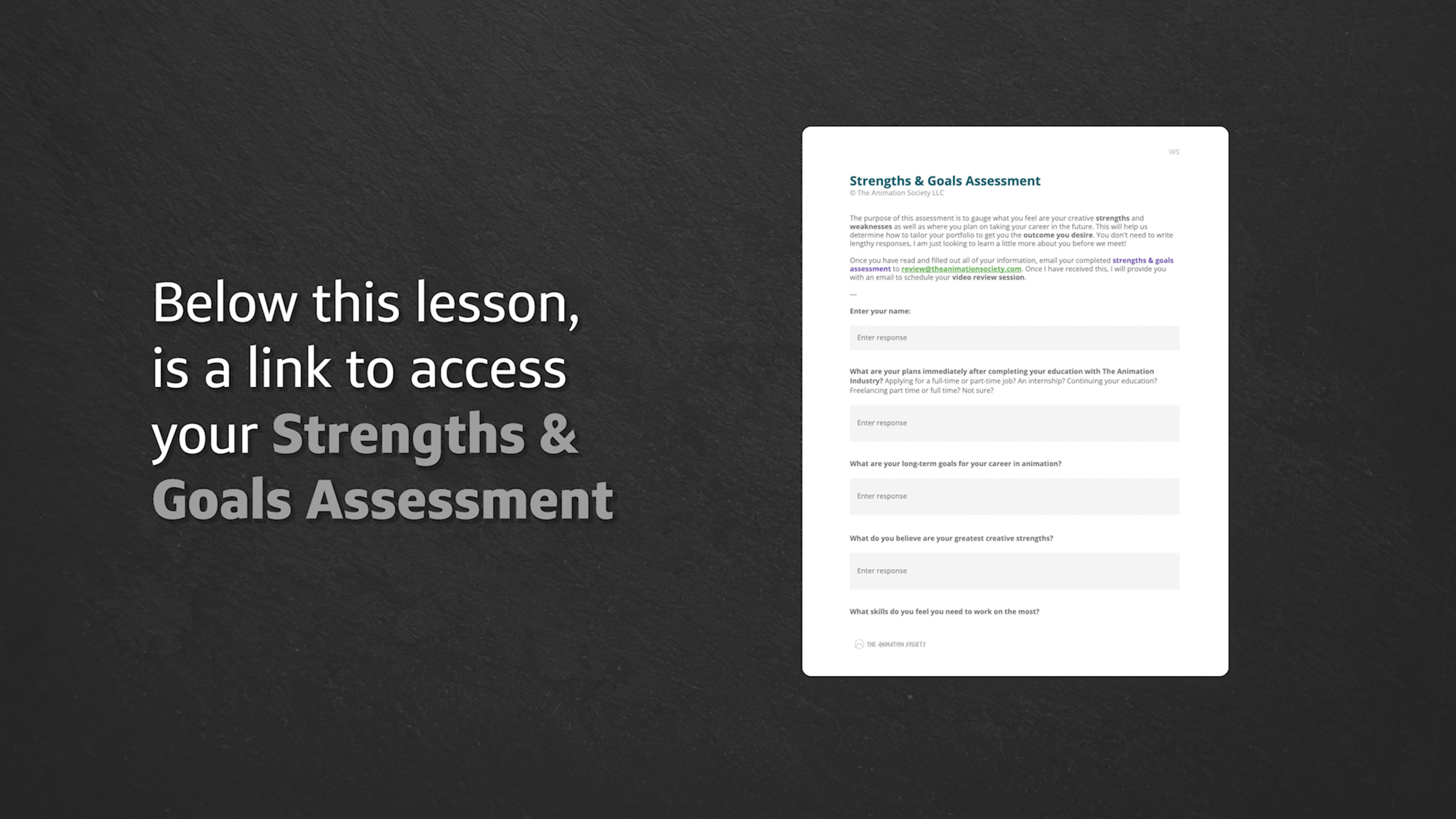
This lesson explains how the portfolio review process will evaluate a student’s reel, project order, clarity, focus, length, presentation, and alignment with their career goals. Students will complete the Strengths & Goals Assessment so their feedback can be tailored to their skills, weaknesses, interests, and next steps in the animation industry.
Lesson 2: Inventory Evaluation
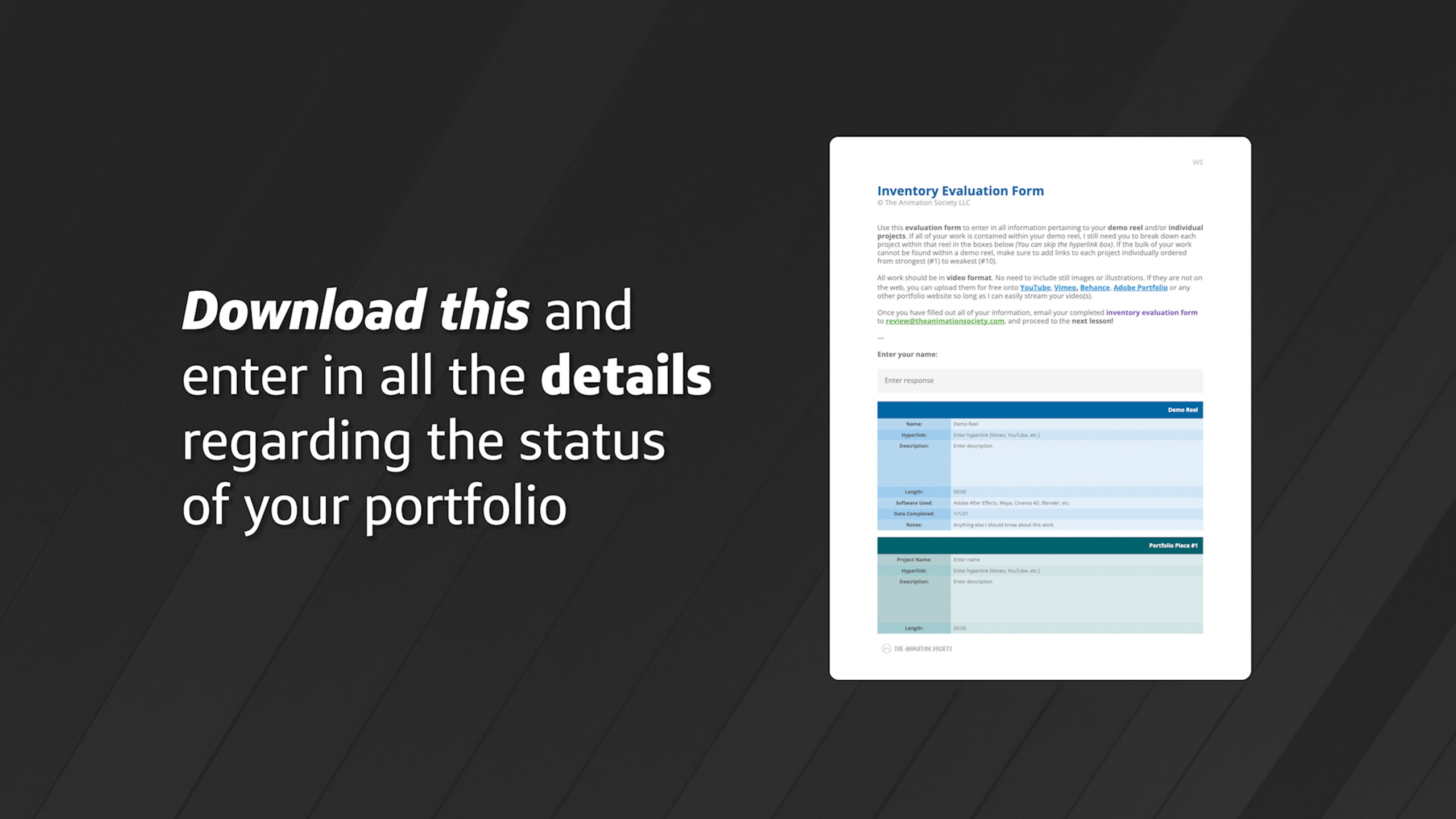
This lesson guides students through completing the Inventory Evaluation Form so their current portfolio, demo reel, and individual projects can be reviewed clearly. Students will organize their work from strongest to weakest, share video links, and submit the form so they can get targeted feedback before moving into the projects module.
Lesson 4: Review Session
This lesson wraps up the Inventory module by encouraging students to use their review notes, portfolio evaluation, and goals assessment as a guide for the projects ahead. Students will move into the project modules with a clearer sense of what they have, what they need to improve, and where they want their animation career to go next.
Lesson 1: Taking Inventory
This lesson introduces the Inventory module, where students review their current portfolio, clarify their career goals, and identify what work should be kept, archived, improved, or replaced. Students will prepare for a portfolio review so they can enter the projects module with a clear plan for building stronger, more career-focused work.
Lesson 2: Inventory Evaluation
This lesson guides students through completing the Inventory Evaluation Form so their current portfolio, demo reel, and individual projects can be reviewed clearly. Students will organize their work from strongest to weakest, share video links, and submit the form so they can get targeted feedback before moving into the projects module.
Lesson 3: Strengths & Goals Assessment
This lesson explains how the portfolio review process will evaluate a student’s reel, project order, clarity, focus, length, presentation, and alignment with their career goals. Students will complete the Strengths & Goals Assessment so their feedback can be tailored to their skills, weaknesses, interests, and next steps in the animation industry.
Lesson 4: Review Session
This lesson wraps up the Inventory module by encouraging students to use their review notes, portfolio evaluation, and goals assessment as a guide for the projects ahead. Students will move into the project modules with a clearer sense of what they have, what they need to improve, and where they want their animation career to go next.
Universal Module: Demo Reel
Estimated completion time: 1-2 weeks
This module guides students through the process of creating a professional demo reel to showcase their skills for studios, employers, or freelance clients.
Students will learn the basics of Adobe Premiere Pro to organize and edit their best work, select strong portfolio pieces, add titles and sound design, and export a polished final video that functions as a visual resume.
Lesson 1: Demo Reel Overview
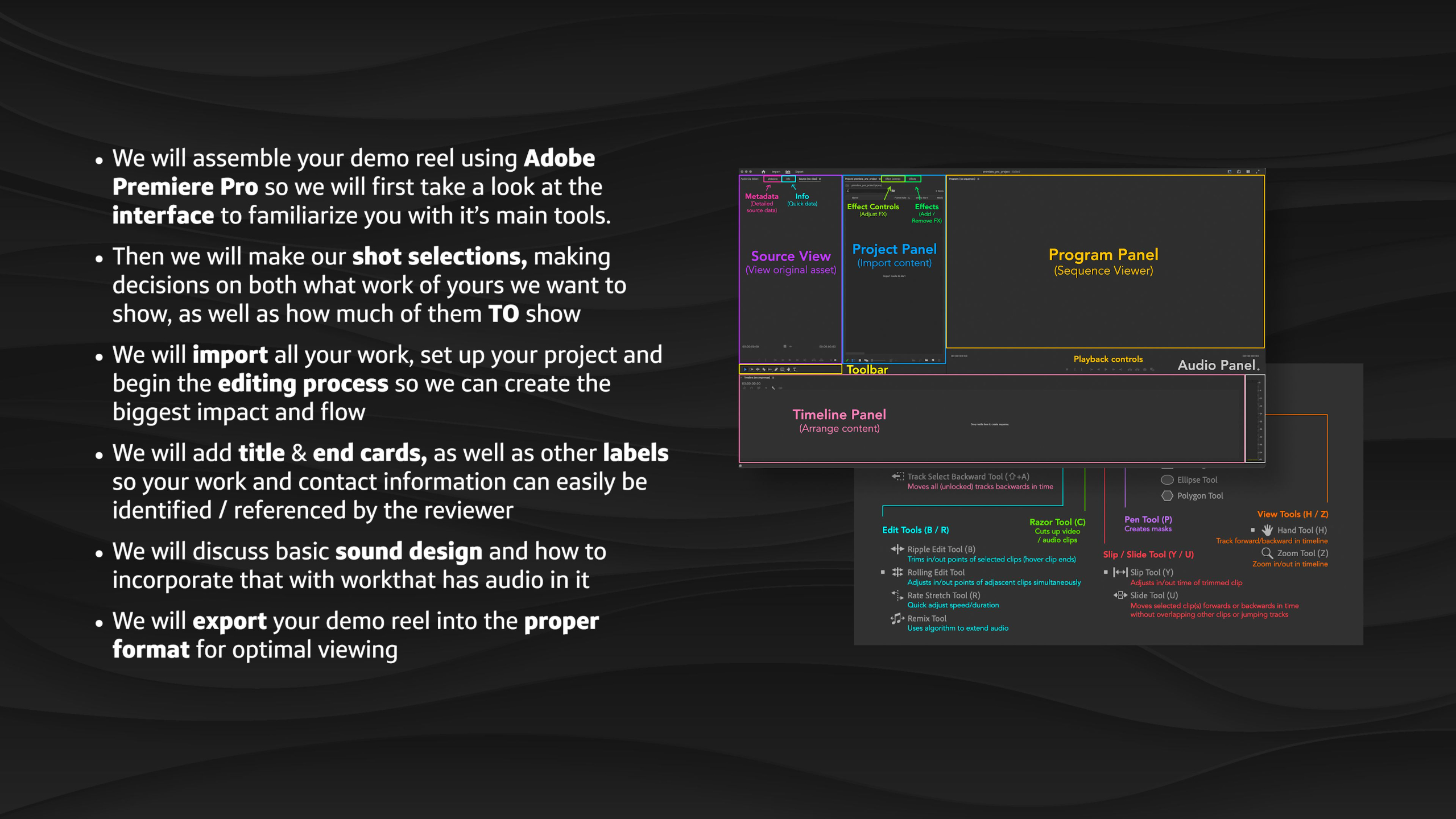
This lesson introduces the Demo Reel module, where students begin organizing their completed portfolio work into a clean, concise video that can be shared with studios, employers, or clients. Students will learn how to select their strongest pieces, edit them in Adobe Premiere Pro, add labels and contact information, handle audio, export properly, and keep their reel updated over time.
Lesson 5: Title Card & Labels
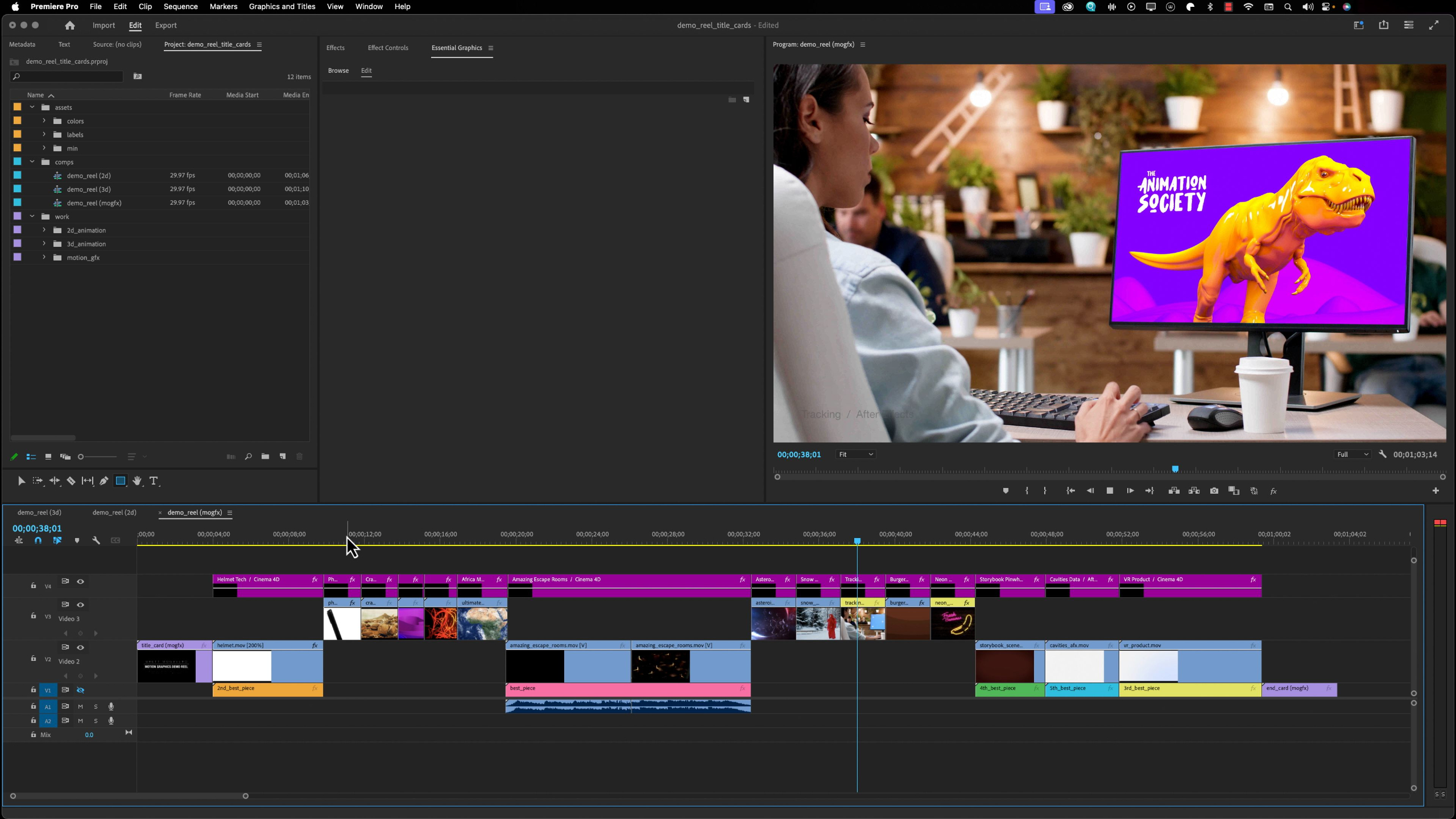
This lesson teaches students how to add clear title cards, end cards, and project labels to their demo reel so reviewers can quickly understand who they are, what they do, and how to contact them. Students will also learn how to label individual pieces with project names, software, techniques, and personal contributions so their reel feels professional, organized, and easy to review.
Lesson 2: Software Walkthrough: Premiere Pro
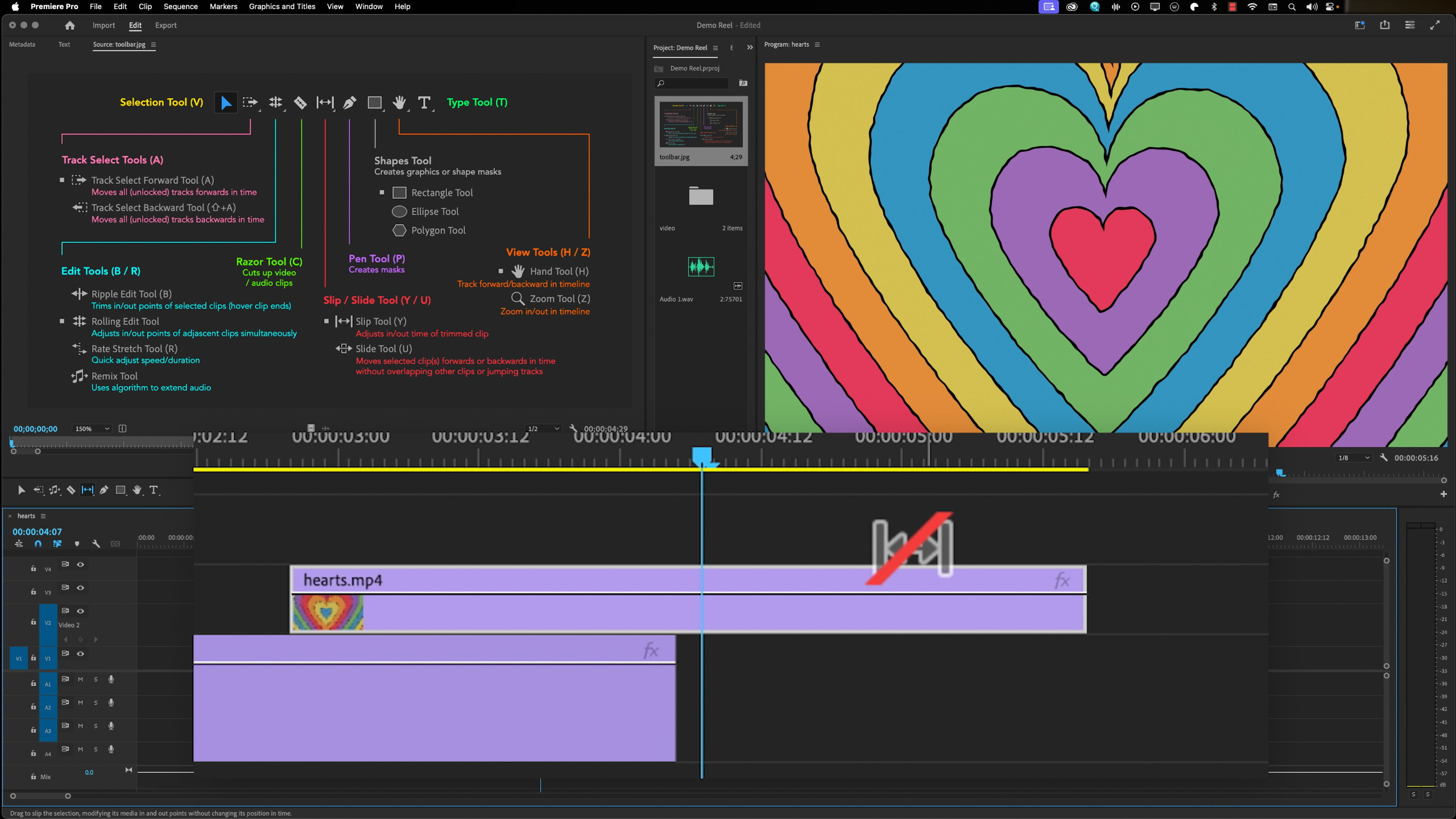
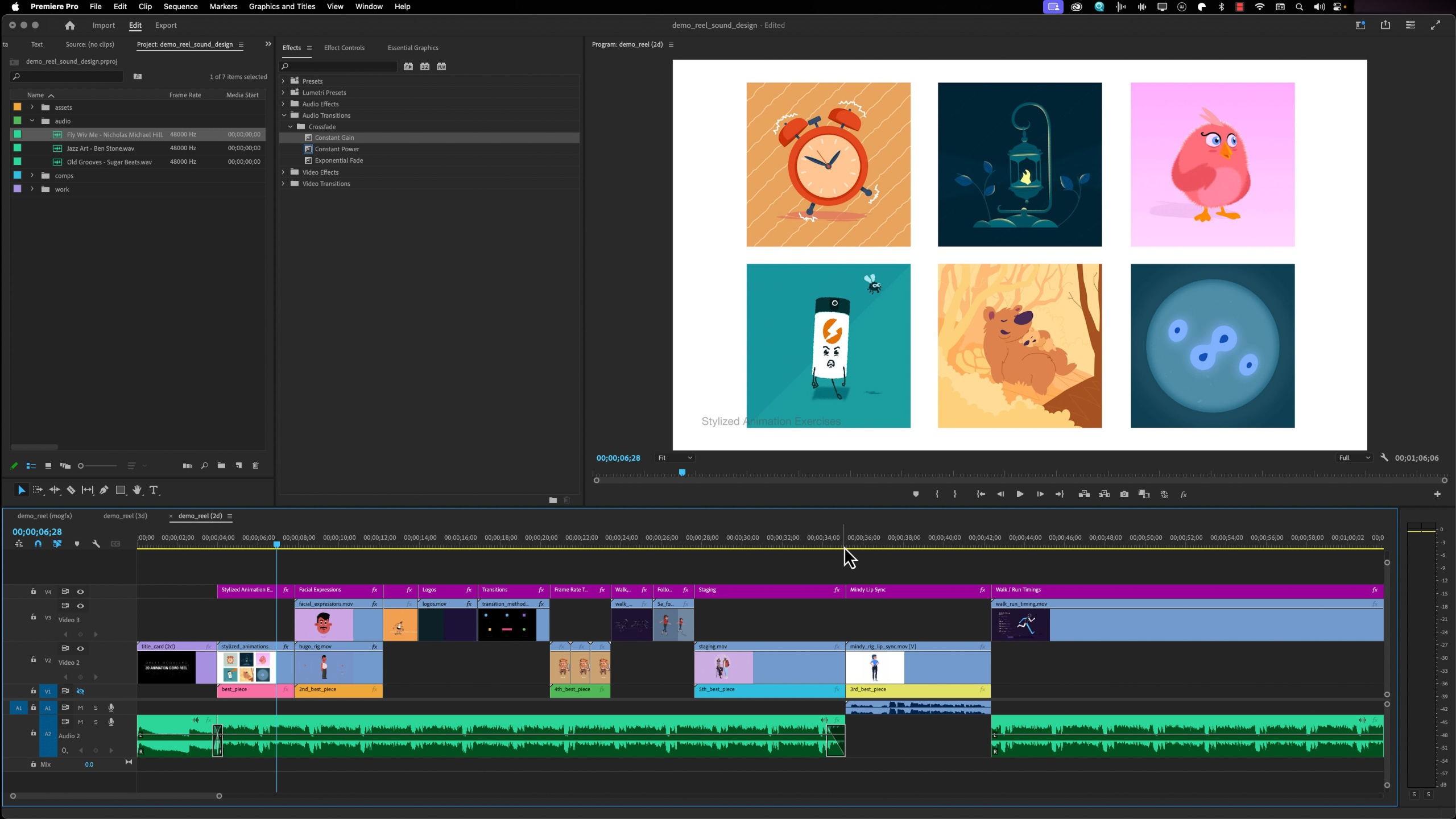
This lesson gives students a practical walkthrough of Adobe Premiere Pro, focusing on the interface, panels, timeline, tools, menus, settings, and export workflow needed to build a demo reel. Students will get comfortable navigating the software so they can import their finished work, edit clips together, manage audio, and prepare their reel for final output.
Lesson 6: Sound Design
This lesson explains how to handle sound design in a demo reel without distracting from the work itself. Students will learn when to use subtle background music, when to avoid it, how to fade around dialogue or existing audio, and why clean, low-volume sound choices can help keep the reviewer focused on the visuals.
Lesson 3: Shot Selection
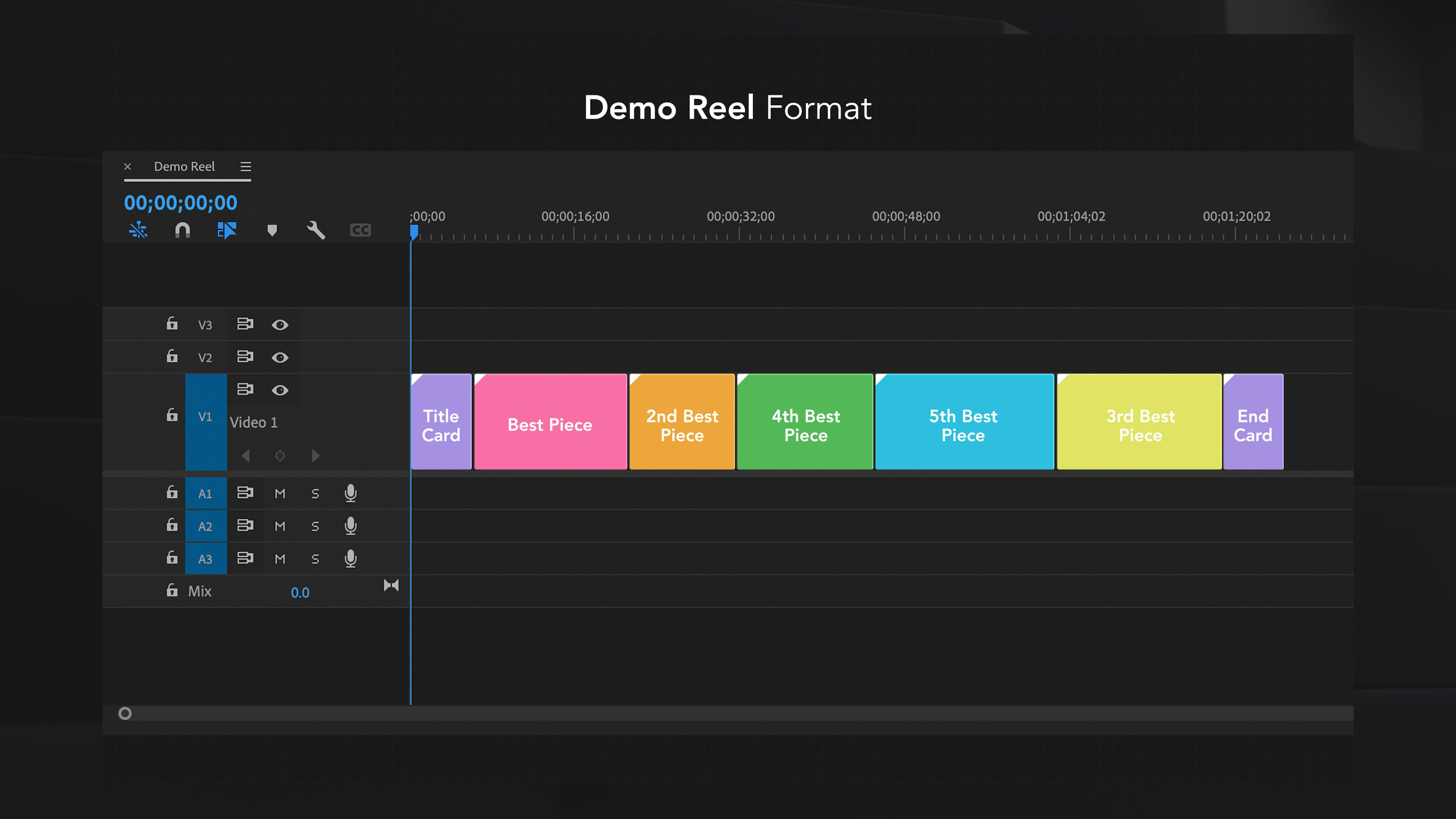
This lesson teaches students how to choose the strongest and most relevant work for their demo reel based on the type of job, studio, or client they want to attract. Students will learn how to order their pieces strategically, keep the reel short and focused, and tailor shot selections for 2D animation, 3D character animation, or motion graphics.
Lesson 7: Export & Format
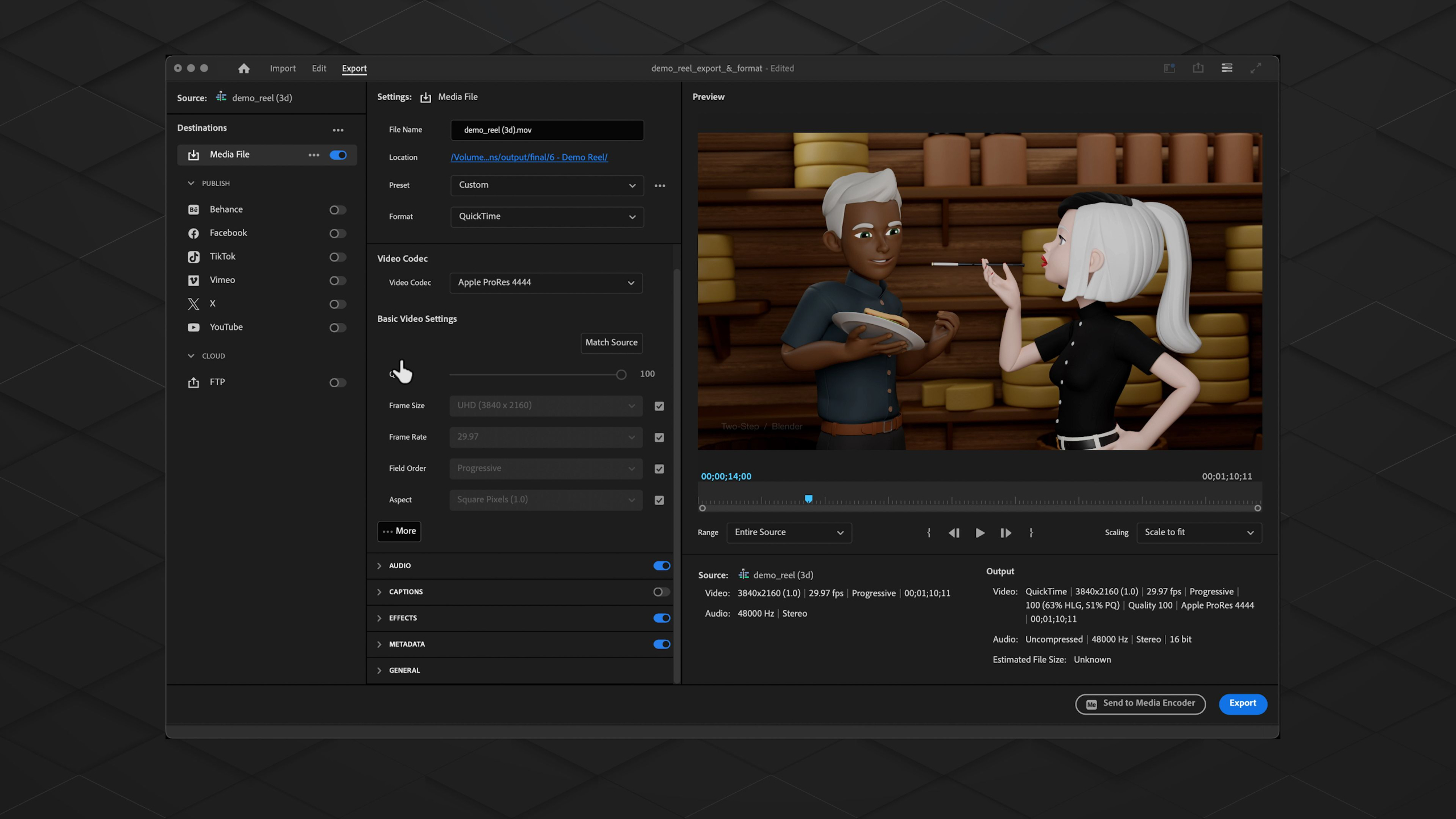
This lesson shows students how to export their completed demo reel from Premiere Pro using the right format, codec, audio settings, and quality options for professional playback. Students will also learn where to host or upload their reel, including Vimeo, YouTube, personal websites, or direct application portals, so their work is easy to share with employers and clients.
Lesson 4: Editing & Flow
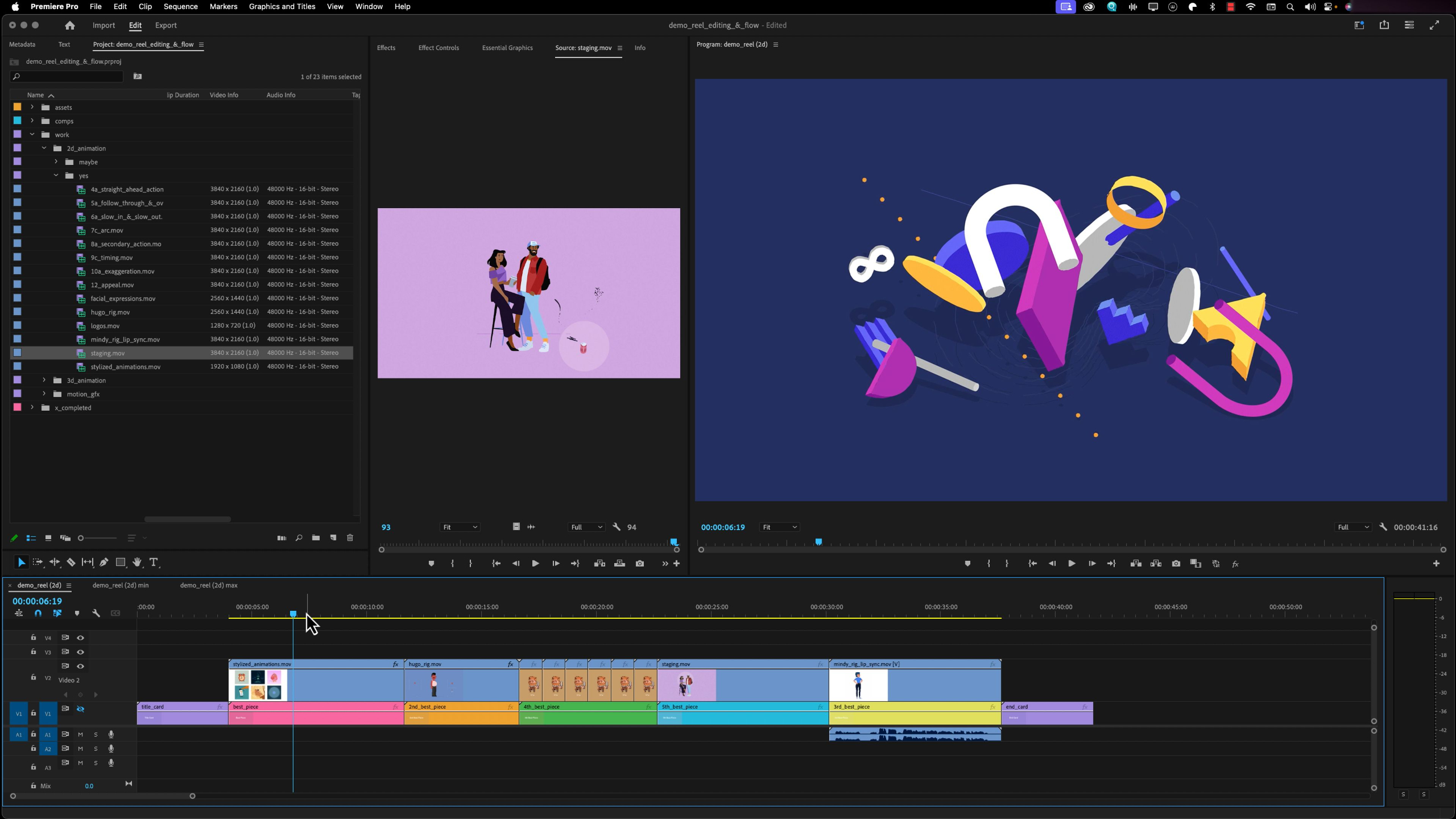
This lesson walks students through setting up their demo reel project in Adobe Premiere Pro, importing their selected work, checking sequence settings, and arranging clips into a clean, effective edit. Students will learn how to shape the flow of a 2D, 3D, or motion graphics reel so their strongest work grabs attention while the overall presentation stays focused, polished, and easy to update.
Lesson 8: Final Thoughts & Upkeep
This final lesson wraps up the Demo Reel module with advice on keeping your reel updated, continuing to create new work, and staying competitive as your animation career grows. Students are encouraged to keep improving, pursue opportunities from a position of strength, and use their demo reel as an evolving tool for employment, freelancing, or future creative goals.
Lesson 1: Demo Reel Overview
This lesson introduces the Demo Reel module, where students begin organizing their completed portfolio work into a clean, concise video that can be shared with studios, employers, or clients. Students will learn how to select their strongest pieces, edit them in Adobe Premiere Pro, add labels and contact information, handle audio, export properly, and keep their reel updated over time.
Lesson 2: Software Walkthrough: Premiere Pro
This lesson gives students a practical walkthrough of Adobe Premiere Pro, focusing on the interface, panels, timeline, tools, menus, settings, and export workflow needed to build a demo reel. Students will get comfortable navigating the software so they can import their finished work, edit clips together, manage audio, and prepare their reel for final output.
Lesson 3: Shot Selection
This lesson teaches students how to choose the strongest and most relevant work for their demo reel based on the type of job, studio, or client they want to attract. Students will learn how to order their pieces strategically, keep the reel short and focused, and tailor shot selections for 2D animation, 3D character animation, or motion graphics.
Lesson 4: Editing & Flow
This lesson walks students through setting up their demo reel project in Adobe Premiere Pro, importing their selected work, checking sequence settings, and arranging clips into a clean, effective edit. Students will learn how to shape the flow of a 2D, 3D, or motion graphics reel so their strongest work grabs attention while the overall presentation stays focused, polished, and easy to update.
Lesson 5: Title Card & Labels
This lesson teaches students how to add clear title cards, end cards, and project labels to their demo reel so reviewers can quickly understand who they are, what they do, and how to contact them. Students will also learn how to label individual pieces with project names, software, techniques, and personal contributions so their reel feels professional, organized, and easy to review.
Lesson 6: Sound Design
This lesson explains how to handle sound design in a demo reel without distracting from the work itself. Students will learn when to use subtle background music, when to avoid it, how to fade around dialogue or existing audio, and why clean, low-volume sound choices can help keep the reviewer focused on the visuals.
Lesson 7: Export & Format
This lesson shows students how to export their completed demo reel from Premiere Pro using the right format, codec, audio settings, and quality options for professional playback. Students will also learn where to host or upload their reel, including Vimeo, YouTube, personal websites, or direct application portals, so their work is easy to share with employers and clients.
Lesson 8: Final Thoughts & Upkeep
This final lesson wraps up the Demo Reel module with advice on keeping your reel updated, continuing to create new work, and staying competitive as your animation career grows. Students are encouraged to keep improving, pursue opportunities from a position of strength, and use their demo reel as an evolving tool for employment, freelancing, or future creative goals.
Lesson Block 7:
Advancement
This brief series of lessons caps off students portfolio-building efforts by providing guidance to the variety of career pathways that lay before them, once their education with us is complete.
Lessons available for:

Lesson 1: Crossroads
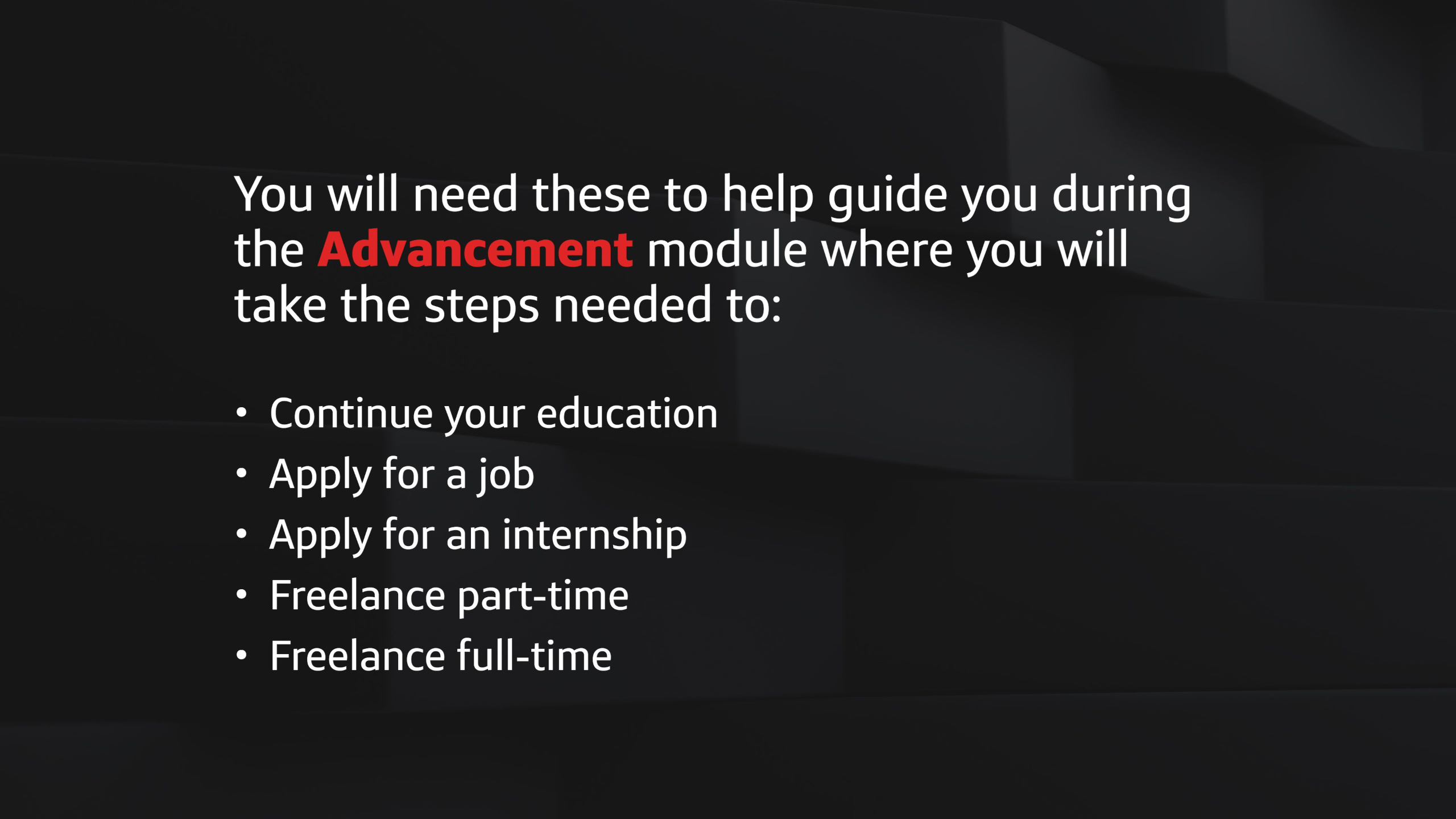
This lesson introduces the Advancement module, where students begin deciding what their next step should be after building their portfolio and gaining foundational industry knowledge. Students will explore paths like art school, jobs, internships, continued education, part-time freelancing, or full-time freelancing so they can make a smart, personalized decision about where to go next.
Lesson 4: Applying for a Job
This lesson helps students approach the animation job hunt with an open mind, encouraging them to stay flexible, understand their motivations, and recognize the many career paths available beyond studios, films, shows, and games. Students will learn why persistence, adaptability, portfolio growth, and practical experience are key to getting paid for their skills and building a sustainable animation career.
Lesson 2: Applying to Arts Colleges
This lesson helps students think critically about whether attending an arts college is the right next step for their animation education. Students will explore the benefits, risks, costs, and potential red flags of traditional art schools while comparing that path to more focused, affordable, and self-directed ways of continuing their growth.
Lesson 5: Freelancing
This lesson explores the different ways animators can freelance, from part-time side work and project-based clients to retainers, permalance, and full-time self-employment. Students will learn the benefits, risks, responsibilities, and opportunities of freelancing so they can decide whether working independently fits their goals, lifestyle, and career path.
Lesson 3: Online Education
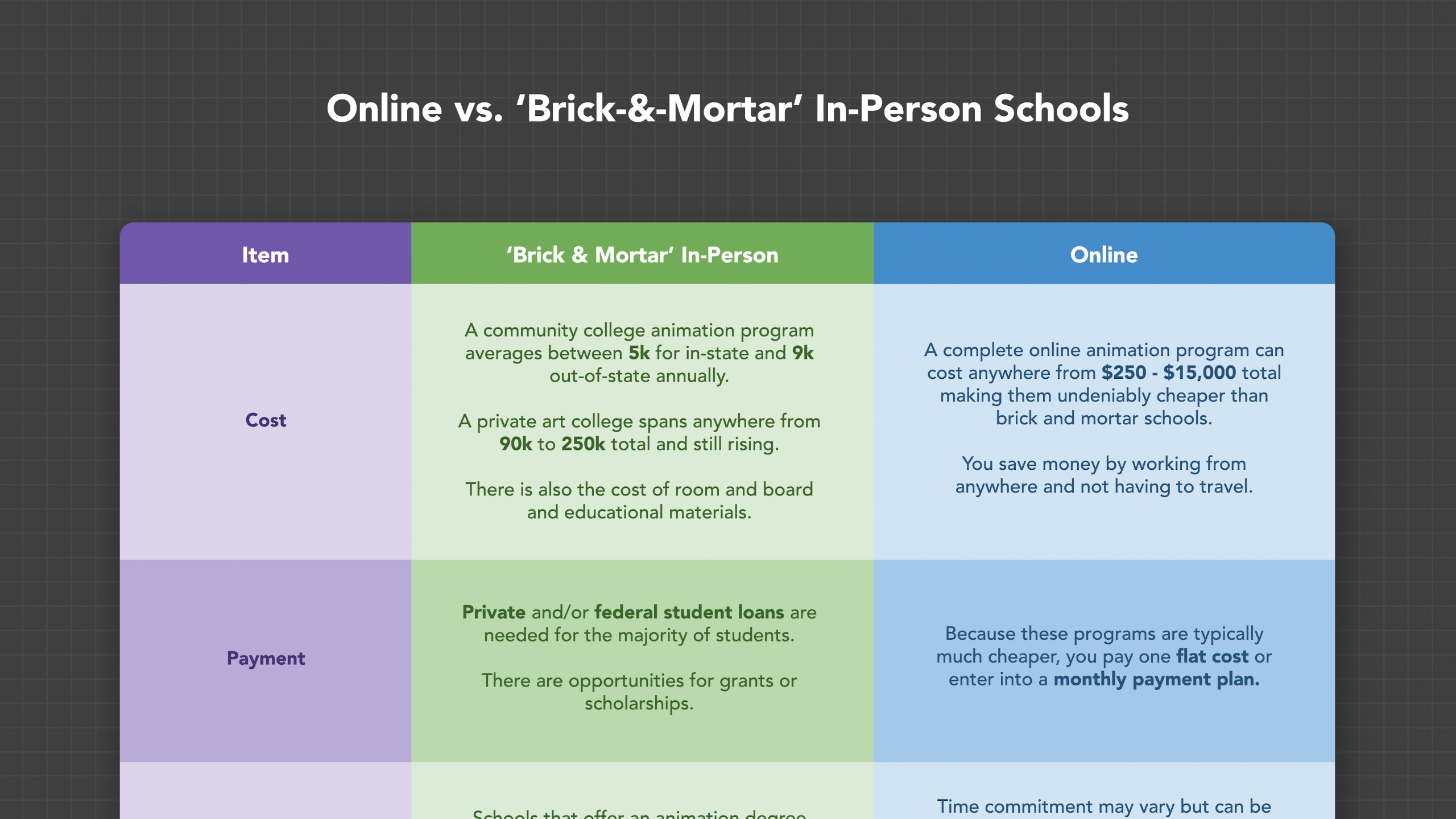
This lesson helps students compare online education, traditional art schools, YouTube tutorials, and The Animation Society as different ways to continue learning animation. Students will explore the costs, benefits, tradeoffs, and next-step pathways for each journey so they can choose the education route that best fits their goals, budget, and level of commitment.
Lesson 1: Crossroads
This lesson introduces the Advancement module, where students begin deciding what their next step should be after building their portfolio and gaining foundational industry knowledge. Students will explore paths like art school, jobs, internships, continued education, part-time freelancing, or full-time freelancing so they can make a smart, personalized decision about where to go next.
Lesson 2: Applying to Arts Colleges
This lesson helps students think critically about whether attending an arts college is the right next step for their animation education. Students will explore the benefits, risks, costs, and potential red flags of traditional art schools while comparing that path to more focused, affordable, and self-directed ways of continuing their growth.
Lesson 3: Online Education
This lesson helps students compare online education, traditional art schools, YouTube tutorials, and The Animation Society as different ways to continue learning animation. Students will explore the costs, benefits, tradeoffs, and next-step pathways for each journey so they can choose the education route that best fits their goals, budget, and level of commitment.
Lesson 4: Applying for a Job
This lesson helps students approach the animation job hunt with an open mind, encouraging them to stay flexible, understand their motivations, and recognize the many career paths available beyond studios, films, shows, and games. Students will learn why persistence, adaptability, portfolio growth, and practical experience are key to getting paid for their skills and building a sustainable animation career.
Lesson 5: Freelancing
This lesson explores the different ways animators can freelance, from part-time side work and project-based clients to retainers, permalance, and full-time self-employment. Students will learn the benefits, risks, responsibilities, and opportunities of freelancing so they can decide whether working independently fits their goals, lifestyle, and career path.